All Activity
- Past hour
-
That embedded inspect link simply doesn't have a wear value in it.
-
If value_bytes is 4 bytes, it's either a 32-bit int or a float. stored_as_integer in items_game.txt will tell you whether to read it as an int or as a float. The vast majority of attributes are either ints or floats. 2013, 2014, and 2025 are all stored as floats, so you should use Buffer.readFloatLE to read them.
- Last week
-
Same issue. 75->150->300->600->1000 not working I can fetch just by 300 chunks and merge it
-
Hello, I'm using a local decoder + your solution introduced on 3.3, but there are items that don't have float/wear. For example, this protobuff: 657596FDE081DC647DE66145654D6355660DE6E5E5E5691561C1D44731 Is this a steam limitation(not sending the float) or something wrong? I noticed that this tends to happen on freshly acquired items(trade offers) after the 7-day hold
-
 Alberto joined the community
 -
I have several items in a tf2 backpack which have attributes I would like to read on backpack load. For example, I have a professional killstreak item which sheen and killstreaker I would like to read using node-tf2: "attribute": [{ "def_index":2013, "value":null, "value_bytes": { "type":"Buffer", "data": [0,160,250,68] } }, { "def_index":2014, "value":null, "value_bytes": { "type":"Buffer", "data":[0,0,192,64] } }, { "def_index":2025, "value":null, "value_bytes": { "type":"Buffer", "data":[0,0,64,64] } }] While I know that def_index is referring through the attribute's id in items_game.txt, I'm struggling to figure out how to convert the attribute's value_bytes into a human-readable value. Is there any documentation on this? Value_bytes also seems to be able to be something other than a single integer, such as when defined by fabricators to list their crafting recipe. I'd also like to know how to parse these as well.
-
 Bazooks joined the community
 -

node-globaloffensive, inspectItem - Parsing masked inspect links
Dr. McKay replied to stepan__sykora's topic in General
I published globaloffensive v3.3.0 last night, which makes inspectItem() work with the new masked inspect links. -
 Josiox reacted to a post in a topic:
New CS2 inspect links
Josiox reacted to a post in a topic:
New CS2 inspect links
-
Josiox reacted to a post in a topic:
New CS2 inspect links
-

Auth session tickets get cancelled after a few minutes
Fess23 replied to JamesEd's topic in node-steam-user
You need correctly authenticate and validate user into server -
 sheza2 reacted to a post in a topic:
node-globaloffensive, inspectItem - Parsing masked inspect links
sheza2 reacted to a post in a topic:
node-globaloffensive, inspectItem - Parsing masked inspect links
-

node-globaloffensive, inspectItem - Parsing masked inspect links
sheza2 replied to stepan__sykora's topic in General
-
 USide joined the community
 -
Support for this new form of inspect link has been added to globaloffensive v3.3.0. While it's not actually required to connect to the GC to decode these, if you want to avoid making code changes (and support older styles of inspect links) then this will work as a drop-in upgrade.
- Earlier
-
Hi, My guess is that they changed it when they made listed items on the Community Market remain in your inventory. Since there were previously two inspect link structures, one for the market and one for the inventory, they seem to have merged them into one general inspect link structure ("masked" inspect link) You can extract the asset ID from it (itemid), but I do not think the steamid ("ownerid") can be extracted from it. You can decode from the "Item certificate" (here being: 92826859045B28938A6E91B20991BA94A291AA016F546091D24895FAE5E29A90E5B003) To the protobuf (CEconItemPreviewDataBlock) and from there also the item details: { "defindex": 508, "inventory": 119, "itemid": "50082457082", "origin": 8, "paintindex": 411, "paintseed": 986, "paintwear": 1045544595, "paintwear_float": 0.20482854545116425, "quality": 3, "rarity": 6 } I "vibe-coded" also a repo for this: Repository So in short the repo does this: Hex-decodes the certificate. Uses the first byte as the XOR key. XORs every byte with that key. Drops the leading `00` byte. Drops the trailing 4-byte trailer/checksum. Returns the remaining bytes as the protobuf payload. Also i saw that, with this change, the market history (and trade history) no longer expose valid inspect links anymore only references to , at least for "skins"/non-common items.
-

node-globaloffensive, inspectItem - Parsing masked inspect links
VlyDev replied to stepan__sykora's topic in General
Hi. Now all inspect links are masked here is my libs to parse https://github.com/vlydev/cs2-masked-inspect-python https://github.com/vlydev/cs2-masked-inspect-js https://github.com/vlydev/cs2-masked-inspect-php https://github.com/vlydev/cs2-masked-inspect-csharp https://github.com/vlydev/cs2-masked-inspect-go https://github.com/vlydev/cs2-masked-inspect-rust https://github.com/vlydev/cs2-masked-inspect-kotlin https://github.com/vlydev/cs2-masked-inspect-ts -
VlyDev joined the community
-
 GreenPerl joined the community
 -
Hello everybody. Did you notice that valve just changed the representation of cs inspect links? This is how it looks now: steam://run/730//+csgo_econ_action_preview%2092826859045B28938A6E91B20991BA94A291AA016F546091D24895FAE5E29A90E5B003 Any ideas how to get asset id, server inspect id or owner id from it? Any ideas why they did that?
-
It's quite convenient that the inventory response now includes asset_properties. assets (100) descriptions (92) asset_properties (98) more_items 1 last_assetid "44889606861" total_inventory_count 983 success 1 rwgrsn-2 However, for huge inventories, Steam doesn't include them in the response, their cache needs to be warmed up. This is bad because for an inventory of 999 items, you need to make as many as 5 requests along the chain count=75->150->300->600->1000 . Whereas Steam does this in 2 requests: https://steamcommunity.com/inventory/_/730/2?l=en&count=75&preserve_bbcode=1&raw_asset_properties=1 https://steamcommunity.com/inventory/_/730/2?l=en&count=2000&preserve_bbcode=1&raw_asset_properties=1&start_assetid=44889606861 Any attempts to repeat the process with count=2000 on the second request don't give me a result with asset_properties. Same cookies, same delay, same headers Any thoughts?
-
I tested using your method and was able to successfully retrieve the star balance, but the redemption times out - possibly due to protocol mismatch. Could you please share if you have any updated strategies? The following is the log: [Armory batch open] Request openCount(stars)=400 [Armory batch open] Reusing existing login session [Armory] getArmoryBalance source: xpShop (type_id 6), redeemable_balance=400 [Armory batch open] balanceBefore=400 openCount=400, 4 stars per item → redeem count=100 [Armory batch open] Redeem 1/100 defindex=4028 Armory: Sending GC UseItem(1025) defindex=4028 payloadLen=3 payloadHex=08bc1f Armory: Timeout (no GC messages received in 30s, GC may not be responding to 1025) [Armory batch open] 1025 timeout, trying 9219... Armory: Sending GC 9219 ClientRedeemFreeReward defindex=4028 genTime=1773404500 balance=400 Armory: 9219 timeout (0 GC messages in 30s) [Armory batch open] 9219 timeout, trying 9209... Armory: Sending GC 9209 ClientRedeemMissionReward defindex=4028 balance=400 expectedCost=4 Armory: 9209 timeout [Armory batch open] Timeout 202, 0 items opened balanceAfter=400
-
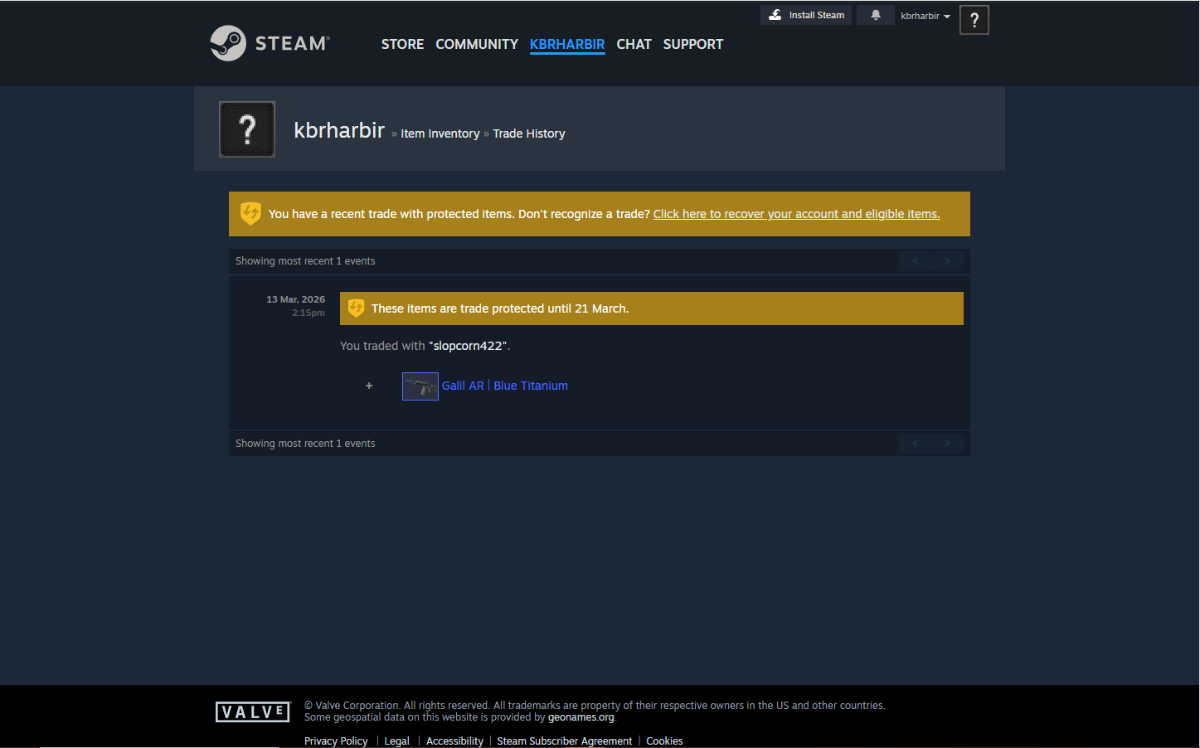
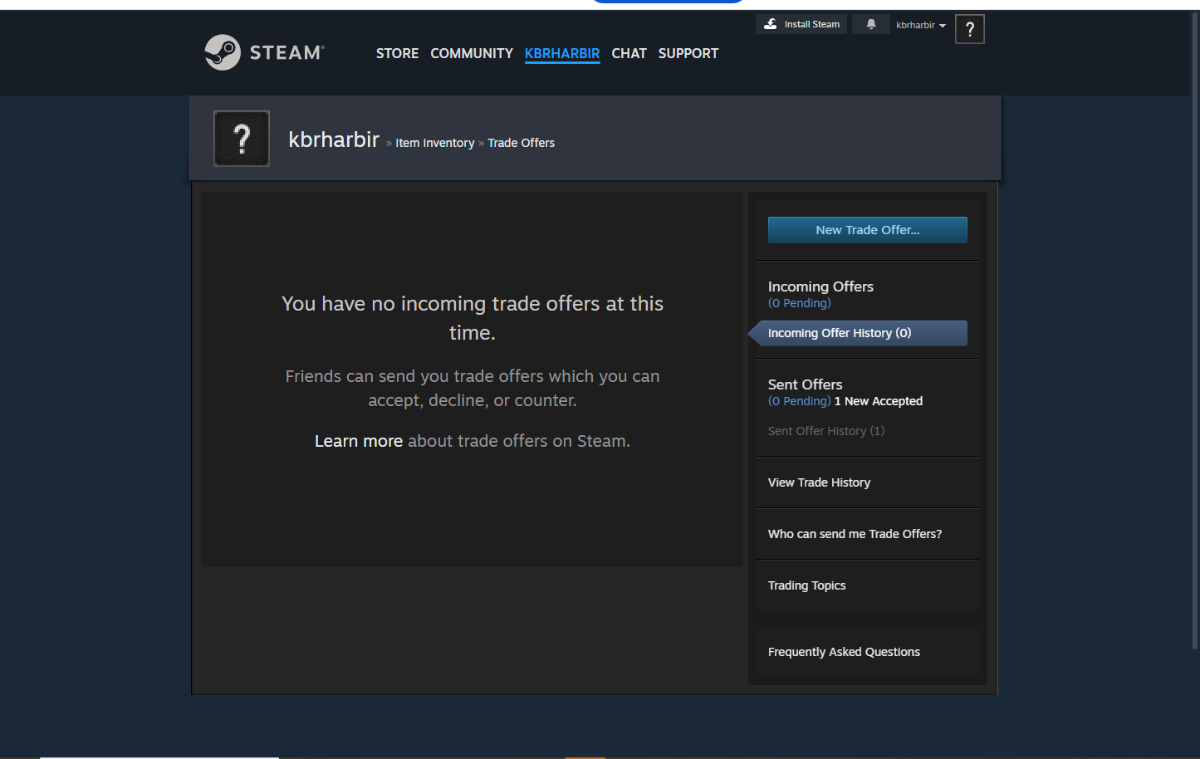
-min(1).thumb.jpeg.467791fa472581b68464b62bab782c03.jpeg) so the problem is that i received an item in my inventoy its not appearing on the incoming history but is appearing in the trade history whats causing this behaviour.
so the problem is that i received an item in my inventoy its not appearing on the incoming history but is appearing in the trade history whats causing this behaviour.
-
still the same, out of 700 inspects more 400 get a timeout
-
 JamesEd joined the community
 -
Hello, I am successfully creating valid auth session tickets using the createAuthSessionTicket api, but after a few minutes they get cancelled. Do I need to keep a client alive somehow for them to stay valid? Please forgive my ignorance. Best, James
-
 worldescortspage joined the community
 -
 Cxiaoxin joined the community
 -
sheza2 joined the community
-
Hey, gc works half of the time, the second half just timeouts, i see this behaviour for atleast a week, does anybody know what could be the cause of it?
-
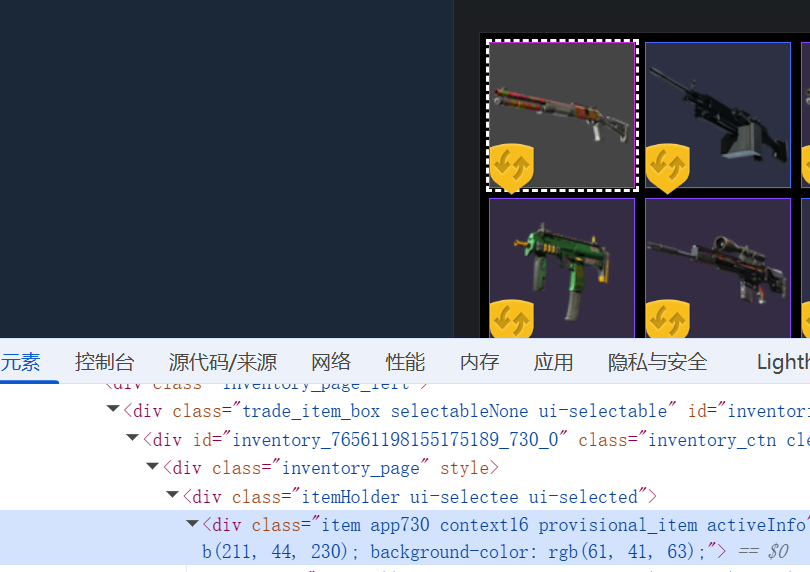
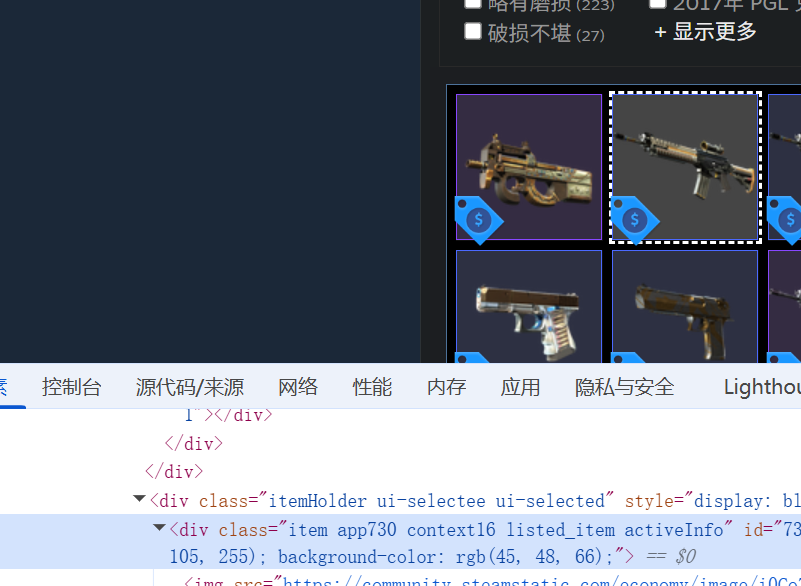
 manager.getInventoryContents(730, 2, true, function (err, inventory){ console.log("tradeable",inventory.length); tradeablecount = inventory.length; }); manager.getInventoryContents(730, 16, false, function (err, inventory){ console.log("protect",inventory.length); protectcount = inventory.length; if (inventorycount!="") { getMarketListings(cookies); } }); ****** if (marketListingsElement.length > 0) { const listingscount = marketListingsElement.text().trim(); console.log("market: " + listingscount); const parsedMarketCount = parseInt(String(listingscount).replace(/,/g, ''), 10); marketcount = Number.isNaN(parsedMarketCount) ? 0 : parsedMarketCount; const adjustedProtectCount = Math.max(0, protectcount - marketcount); const inventorycounttotal = "["+tradeablecount+","+adjustedProtectCount+","+marketcount+"]"; if (inventorycount!=0) { request(Config.inventorycount.replace("{steamid64}",client.steamID).replace("{inventorycount}",inventorycounttotal), (err, res, body) => { if (err) {console.log("@debug inventorycount")}else{console.log("\n### 成功上传API inventorycount")} }) } } else { console.log("## 未找到市场上架数量元素 (my_market_selllistings_number)"); } now i use this code. but i want to know is there any way to get marketlisting like use manager.getInventoryContents because they on inventory now
 -
manager.setCookies(cookies, (err) => { // console.log(manager) console.log("### 准备连接报价API") if(err){ console.log("## 连接报价API失败") console.log("## ERRmessage:" + err); } else { console.log("## 连接报价API成功"); manager.getInventoryContents(730, 2, true, function (err, inventory){ console.log("tradeable",inventory.length); tradeablecount = inventory.length; }); manager.getInventoryContents(730, 16, false, function (err, inventory){ console.log("protect",inventory.length); protectcount = inventory.length; }); if (inventorycount!="") { getMarketListings(cookies); } } }); function getMarketListings(cookies) { console.log("### 开始查询Steam市场上架数量"); // 构建cookie字符串 let cookieString = ''; if (Array.isArray(cookies)) { cookieString = cookies.join('; '); } else { cookieString = cookies; } // 第一步:先访问资格检查页面 let eligibilityOptions = { url: 'https://steamcommunity.com/market/eligibilitycheck/?goto=%2Fmarket%2F', headers: { 'Cookie': cookieString, 'User-Agent': 'Mozilla/5.0 (Windows NT 10.0; Win64; x64) AppleWebKit/537.36 (KHTML, like Gecko) Chrome/139.0.0.0 Safari/537.36', 'Accept': 'text/html,application/xhtml+xml,application/xml;q=0.9,image/avif,image/webp,image/apng,*/*;q=0.8,application/signed-exchange;v=b3;q=0.7', 'Accept-Language': 'zh-CN,zh;q=0.9,is;q=0.8', 'Accept-Encoding': 'gzip, deflate, br, zstd', 'Connection': 'keep-alive', 'Pragma': 'no-cache', 'Cache-Control': 'no-cache', 'DNT': '1', 'Upgrade-Insecure-Requests': '1', 'Sec-Fetch-Site': 'none', 'Sec-Fetch-Mode': 'navigate', 'Sec-Fetch-User': '?1', 'Sec-Fetch-Dest': 'document', 'sec-ch-ua': '"Not;A=Brand";v="99", "Google Chrome";v="139", "Chromium";v="139"', 'sec-ch-ua-mobile': '?0', 'sec-ch-ua-platform': '"Windows"' }, followRedirect: false, // 不自动跟随重定向 timeout: 30000, gzip: true }; // 如果使用代理,添加代理配置 if (apiproxy === "1") { if (proxyset && proxyset.indexOf("http") >= 0) { eligibilityOptions.proxy = proxyset; } else if (proxyset && proxyset.indexOf("sock") >= 0) { eligibilityOptions.socksProxy = proxyset; } else if (proxyipuse) { eligibilityOptions.proxy = "http://" + proxyipuse; } } request(eligibilityOptions, function(error, response, body) { if (error) { console.log("## 资格检查失败: " + error); return; } // 获取新的cookies let newCookies = cookieString; if (response.headers['set-cookie']) { const additionalCookies = response.headers['set-cookie'].map(cookie => { return cookie.split(';')[0]; }).join('; '); newCookies += '; ' + additionalCookies; } console.log("## 资格检查完成,准备访问市场页面"); // 第二步:访问市场页面 let marketOptions = { url: 'https://steamcommunity.com/market/', headers: { 'Cookie': newCookies, 'User-Agent': 'Mozilla/5.0 (Windows NT 10.0; Win64; x64) AppleWebKit/537.36 (KHTML, like Gecko) Chrome/139.0.0.0 Safari/537.36', 'Accept': 'text/html,application/xhtml+xml,application/xml;q=0.9,image/avif,image/webp,image/apng,*/*;q=0.8,application/signed-exchange;v=b3;q=0.7', 'Accept-Language': 'zh-CN,zh;q=0.9,is;q=0.8', 'Accept-Encoding': 'gzip, deflate, br, zstd', 'Connection': 'keep-alive', 'Pragma': 'no-cache', 'Cache-Control': 'no-cache', 'DNT': '1', 'Upgrade-Insecure-Requests': '1', 'Sec-Fetch-Site': 'none', 'Sec-Fetch-Mode': 'navigate', 'Sec-Fetch-User': '?1', 'Sec-Fetch-Dest': 'document', 'sec-ch-ua': '"Not;A=Brand";v="99", "Google Chrome";v="139", "Chromium";v="139"', 'sec-ch-ua-mobile': '?0', 'sec-ch-ua-platform': '"Windows"' }, followRedirect: true, maxRedirects: 3, timeout: 30000, gzip: true }; // 添加代理配置 if (apiproxy === "1") { if (proxyset && proxyset.indexOf("http") >= 0) { marketOptions.proxy = proxyset; } else if (proxyset && proxyset.indexOf("sock") >= 0) { marketOptions.socksProxy = proxyset; } else if (proxyipuse) { marketOptions.proxy = "http://" + proxyipuse; } } if (inventorycount!="") { request(marketOptions, function(marketError, marketResponse, marketBody) { if (marketError) { console.log("## 查询市场上架数量失败"); console.log("## ERRmessage:" + marketError); return; } if (marketResponse.statusCode !== 200) { console.log("## 查询市场上架数量失败,状态码:" + marketResponse.statusCode); return; } try { // 使用cheerio解析HTML const $ = cheerio.load(marketBody); const marketListingsElement = $('#my_market_selllistings_number'); if (marketListingsElement.length > 0) { const listingscount = marketListingsElement.text().trim(); console.log("market: " + listingscount); marketcount = listingscount; const inventorycounttotal = "["+tradeablecount+","+protectcount+","+marketcount+"]"; if (inventorycount!=0) { request(Config.inventorycount.replace("{steamid64}",client.steamID).replace("{inventorycount}",inventorycounttotal), (err, res, body) => { if (err) {console.log("@debug inventorycount")}else{console.log("\n### 成功上传API inventorycount")} }) } } else { console.log("## 未找到市场上架数量元素 (my_market_selllistings_number)"); } } catch (parseError) { console.log("## 解析市场页面失败"); console.log("## ERRmessage:" + parseError); } }); } }); } i use this code can get protect tradeable marketlisting itemcount but now steam update a patch, item which marketlisting still use one shot on inventory, and it will belong protectcount, is there any way to get is clear?
-
 logvlad9 joined the community
 -

Rollbacked trades are missing rollback information.
Devx09 replied to Devx09's topic in node-steam-tradeoffer-manager
I noticed that many people are complaining about not getting their items at all after today's rollback, so it might be an issue on Steam side after all. -
Hello, I have noticed that sometimes TF2 trades are being rollbacked by Steam and even though they have "tradeID", are rollbacked (can't be resent with identical same IDs, returns 26 when trying) and got state "6" (canceled) don't have any rollback information when I call getExchangeDetails. Is this a known issue or something new that needs fixing? My guess is that the v12.2.2 update that fixed corrupt data on normal trade offers doesn't consider rollback data and when it's corrupt - no data gets returned. (Just a guess at this moment)
-
noobiecoder reacted to a post in a topic:
Proxy and MobileApp
-
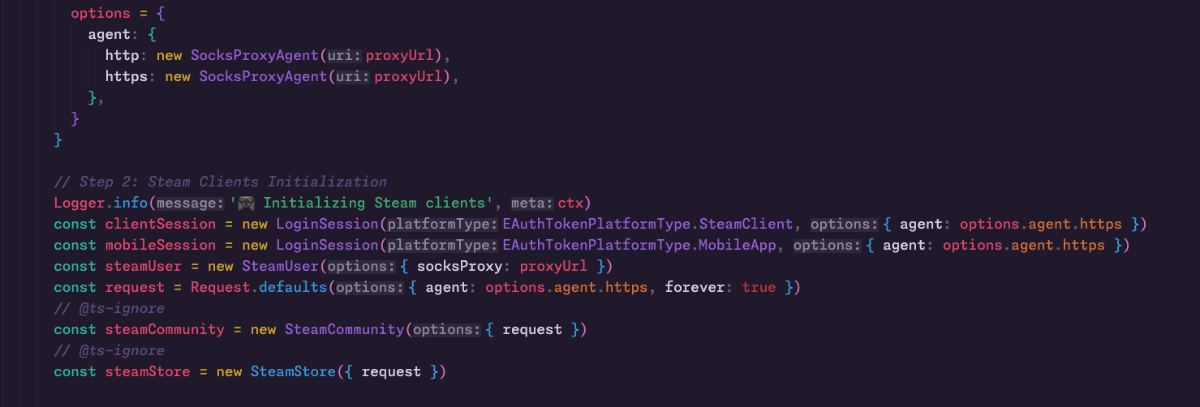
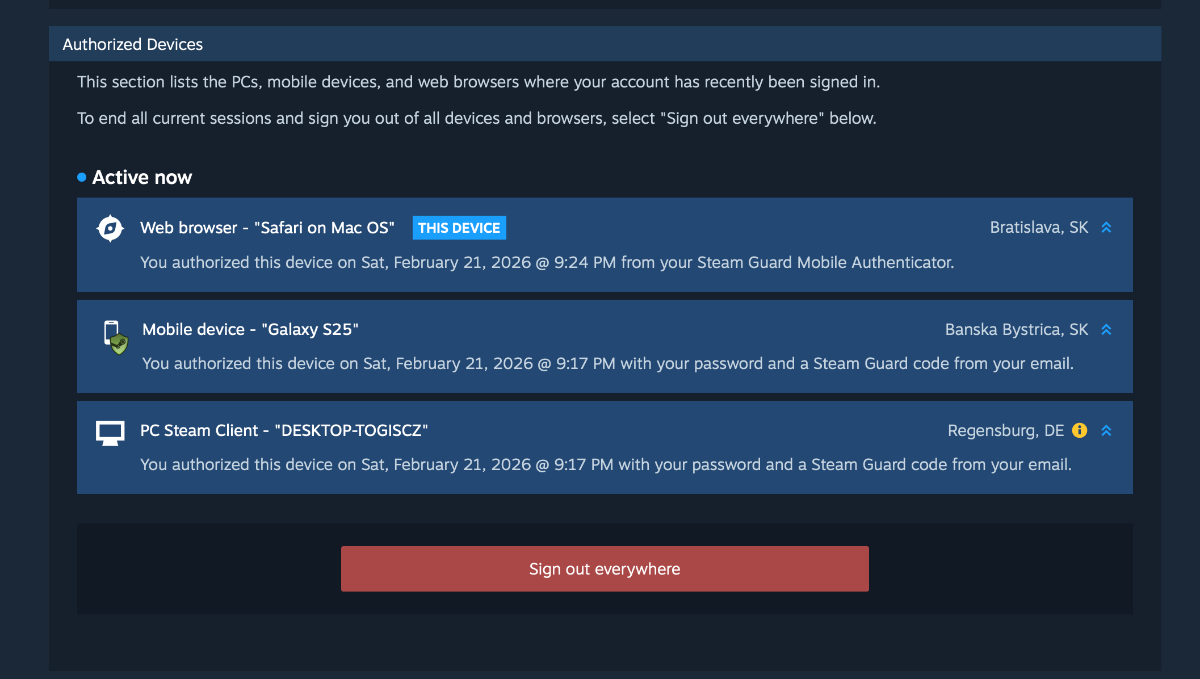
Hi, I have a socks5 proxy and use it for every package, but when I log in to the MobileApp, Steam shows my real location. SteamClient works good. here is proxy usage here is steam devices screenshot - The mobile device should have the same location as the Steam client.
-
- 1
-
-
Which paid or free proxies should be used for trading, reselling websites then could you please help out?
-
 I'm trying to use the getUserInventoryContents but I'm always getting error 400 without explaining more. Can you help?