All Activity
- Past hour
-
 sheza2 joined the community
 - Yesterday
-
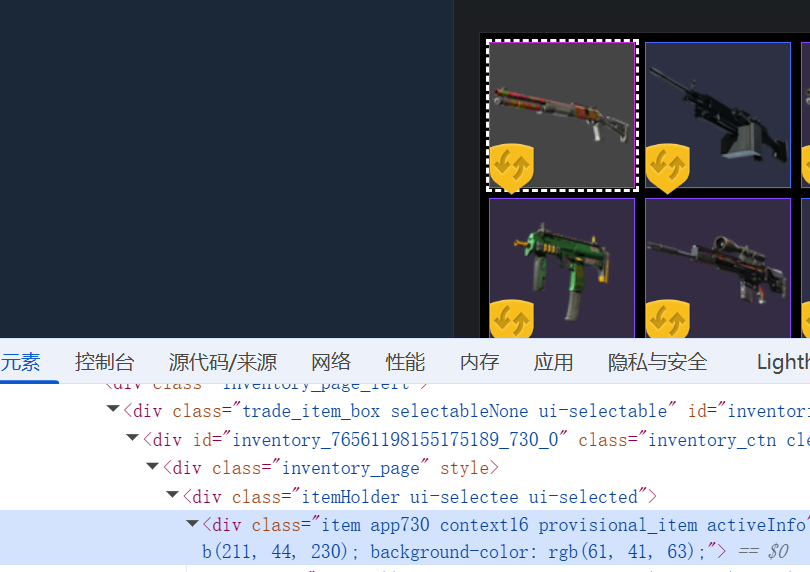
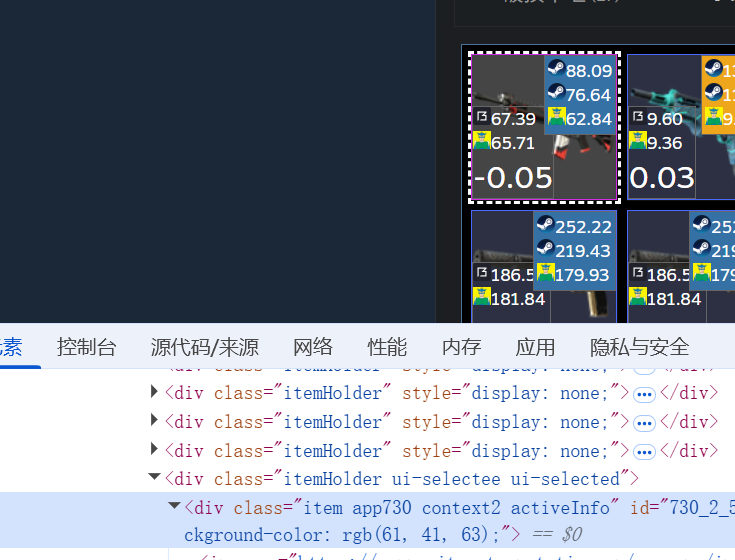
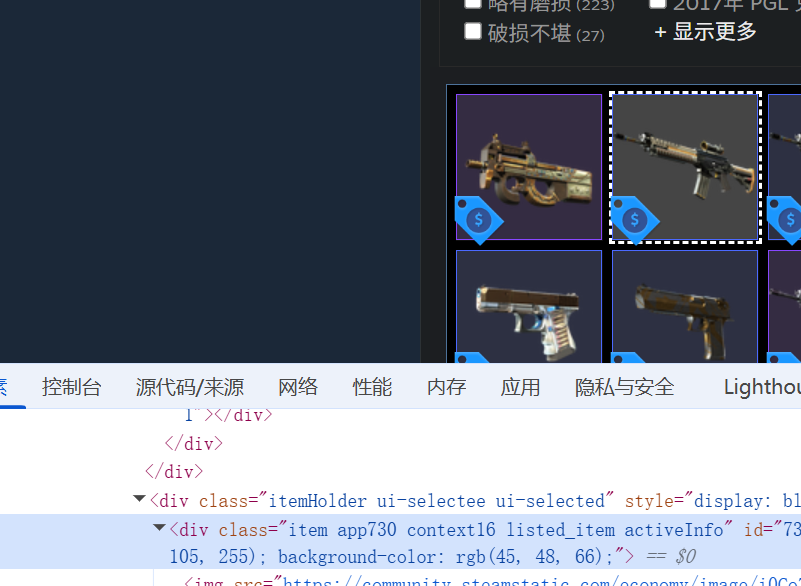
 manager.getInventoryContents(730, 2, true, function (err, inventory){ console.log("tradeable",inventory.length); tradeablecount = inventory.length; }); manager.getInventoryContents(730, 16, false, function (err, inventory){ console.log("protect",inventory.length); protectcount = inventory.length; if (inventorycount!="") { getMarketListings(cookies); } }); ****** if (marketListingsElement.length > 0) { const listingscount = marketListingsElement.text().trim(); console.log("market: " + listingscount); const parsedMarketCount = parseInt(String(listingscount).replace(/,/g, ''), 10); marketcount = Number.isNaN(parsedMarketCount) ? 0 : parsedMarketCount; const adjustedProtectCount = Math.max(0, protectcount - marketcount); const inventorycounttotal = "["+tradeablecount+","+adjustedProtectCount+","+marketcount+"]"; if (inventorycount!=0) { request(Config.inventorycount.replace("{steamid64}",client.steamID).replace("{inventorycount}",inventorycounttotal), (err, res, body) => { if (err) {console.log("@debug inventorycount")}else{console.log("\n### 成功上传API inventorycount")} }) } } else { console.log("## 未找到市场上架数量元素 (my_market_selllistings_number)"); } now i use this code. but i want to know is there any way to get marketlisting like use manager.getInventoryContents because they on inventory now
 -
manager.setCookies(cookies, (err) => { // console.log(manager) console.log("### 准备连接报价API") if(err){ console.log("## 连接报价API失败") console.log("## ERRmessage:" + err); } else { console.log("## 连接报价API成功"); manager.getInventoryContents(730, 2, true, function (err, inventory){ console.log("tradeable",inventory.length); tradeablecount = inventory.length; }); manager.getInventoryContents(730, 16, false, function (err, inventory){ console.log("protect",inventory.length); protectcount = inventory.length; }); if (inventorycount!="") { getMarketListings(cookies); } } }); function getMarketListings(cookies) { console.log("### 开始查询Steam市场上架数量"); // 构建cookie字符串 let cookieString = ''; if (Array.isArray(cookies)) { cookieString = cookies.join('; '); } else { cookieString = cookies; } // 第一步:先访问资格检查页面 let eligibilityOptions = { url: 'https://steamcommunity.com/market/eligibilitycheck/?goto=%2Fmarket%2F', headers: { 'Cookie': cookieString, 'User-Agent': 'Mozilla/5.0 (Windows NT 10.0; Win64; x64) AppleWebKit/537.36 (KHTML, like Gecko) Chrome/139.0.0.0 Safari/537.36', 'Accept': 'text/html,application/xhtml+xml,application/xml;q=0.9,image/avif,image/webp,image/apng,*/*;q=0.8,application/signed-exchange;v=b3;q=0.7', 'Accept-Language': 'zh-CN,zh;q=0.9,is;q=0.8', 'Accept-Encoding': 'gzip, deflate, br, zstd', 'Connection': 'keep-alive', 'Pragma': 'no-cache', 'Cache-Control': 'no-cache', 'DNT': '1', 'Upgrade-Insecure-Requests': '1', 'Sec-Fetch-Site': 'none', 'Sec-Fetch-Mode': 'navigate', 'Sec-Fetch-User': '?1', 'Sec-Fetch-Dest': 'document', 'sec-ch-ua': '"Not;A=Brand";v="99", "Google Chrome";v="139", "Chromium";v="139"', 'sec-ch-ua-mobile': '?0', 'sec-ch-ua-platform': '"Windows"' }, followRedirect: false, // 不自动跟随重定向 timeout: 30000, gzip: true }; // 如果使用代理,添加代理配置 if (apiproxy === "1") { if (proxyset && proxyset.indexOf("http") >= 0) { eligibilityOptions.proxy = proxyset; } else if (proxyset && proxyset.indexOf("sock") >= 0) { eligibilityOptions.socksProxy = proxyset; } else if (proxyipuse) { eligibilityOptions.proxy = "http://" + proxyipuse; } } request(eligibilityOptions, function(error, response, body) { if (error) { console.log("## 资格检查失败: " + error); return; } // 获取新的cookies let newCookies = cookieString; if (response.headers['set-cookie']) { const additionalCookies = response.headers['set-cookie'].map(cookie => { return cookie.split(';')[0]; }).join('; '); newCookies += '; ' + additionalCookies; } console.log("## 资格检查完成,准备访问市场页面"); // 第二步:访问市场页面 let marketOptions = { url: 'https://steamcommunity.com/market/', headers: { 'Cookie': newCookies, 'User-Agent': 'Mozilla/5.0 (Windows NT 10.0; Win64; x64) AppleWebKit/537.36 (KHTML, like Gecko) Chrome/139.0.0.0 Safari/537.36', 'Accept': 'text/html,application/xhtml+xml,application/xml;q=0.9,image/avif,image/webp,image/apng,*/*;q=0.8,application/signed-exchange;v=b3;q=0.7', 'Accept-Language': 'zh-CN,zh;q=0.9,is;q=0.8', 'Accept-Encoding': 'gzip, deflate, br, zstd', 'Connection': 'keep-alive', 'Pragma': 'no-cache', 'Cache-Control': 'no-cache', 'DNT': '1', 'Upgrade-Insecure-Requests': '1', 'Sec-Fetch-Site': 'none', 'Sec-Fetch-Mode': 'navigate', 'Sec-Fetch-User': '?1', 'Sec-Fetch-Dest': 'document', 'sec-ch-ua': '"Not;A=Brand";v="99", "Google Chrome";v="139", "Chromium";v="139"', 'sec-ch-ua-mobile': '?0', 'sec-ch-ua-platform': '"Windows"' }, followRedirect: true, maxRedirects: 3, timeout: 30000, gzip: true }; // 添加代理配置 if (apiproxy === "1") { if (proxyset && proxyset.indexOf("http") >= 0) { marketOptions.proxy = proxyset; } else if (proxyset && proxyset.indexOf("sock") >= 0) { marketOptions.socksProxy = proxyset; } else if (proxyipuse) { marketOptions.proxy = "http://" + proxyipuse; } } if (inventorycount!="") { request(marketOptions, function(marketError, marketResponse, marketBody) { if (marketError) { console.log("## 查询市场上架数量失败"); console.log("## ERRmessage:" + marketError); return; } if (marketResponse.statusCode !== 200) { console.log("## 查询市场上架数量失败,状态码:" + marketResponse.statusCode); return; } try { // 使用cheerio解析HTML const $ = cheerio.load(marketBody); const marketListingsElement = $('#my_market_selllistings_number'); if (marketListingsElement.length > 0) { const listingscount = marketListingsElement.text().trim(); console.log("market: " + listingscount); marketcount = listingscount; const inventorycounttotal = "["+tradeablecount+","+protectcount+","+marketcount+"]"; if (inventorycount!=0) { request(Config.inventorycount.replace("{steamid64}",client.steamID).replace("{inventorycount}",inventorycounttotal), (err, res, body) => { if (err) {console.log("@debug inventorycount")}else{console.log("\n### 成功上传API inventorycount")} }) } } else { console.log("## 未找到市场上架数量元素 (my_market_selllistings_number)"); } } catch (parseError) { console.log("## 解析市场页面失败"); console.log("## ERRmessage:" + parseError); } }); } }); } i use this code can get protect tradeable marketlisting itemcount but now steam update a patch, item which marketlisting still use one shot on inventory, and it will belong protectcount, is there any way to get is clear?

- Last week
-
 logvlad9 joined the community
 -

Rollbacked trades are missing rollback information.
Devx09 replied to Devx09's topic in node-steam-tradeoffer-manager
I noticed that many people are complaining about not getting their items at all after today's rollback, so it might be an issue on Steam side after all. -
Hello, I have noticed that sometimes TF2 trades are being rollbacked by Steam and even though they have "tradeID", are rollbacked (can't be resent with identical same IDs, returns 26 when trying) and got state "6" (canceled) don't have any rollback information when I call getExchangeDetails. Is this a known issue or something new that needs fixing? My guess is that the v12.2.2 update that fixed corrupt data on normal trade offers doesn't consider rollback data and when it's corrupt - no data gets returned. (Just a guess at this moment)
-
 Ethan joined the community
 -
 noobiecoder reacted to a post in a topic:
Proxy and MobileApp
noobiecoder reacted to a post in a topic:
Proxy and MobileApp
-
 abdüü joined the community
 - Earlier
-
 matetest joined the community
 -
 hewabeks joined the community
 -
 paporag948 joined the community
 -
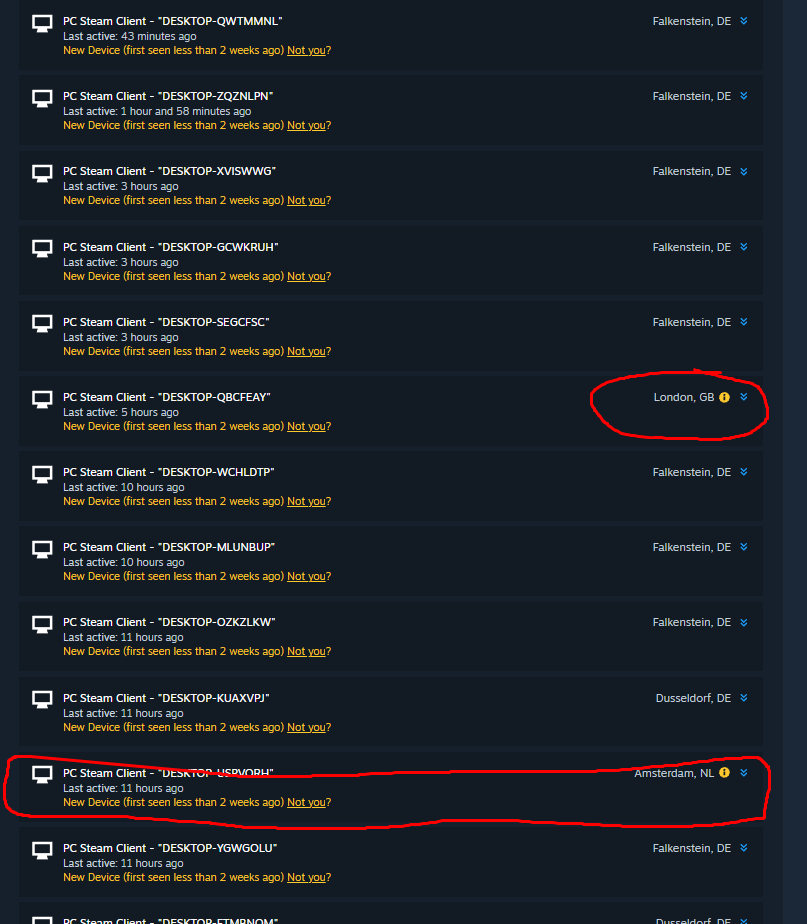
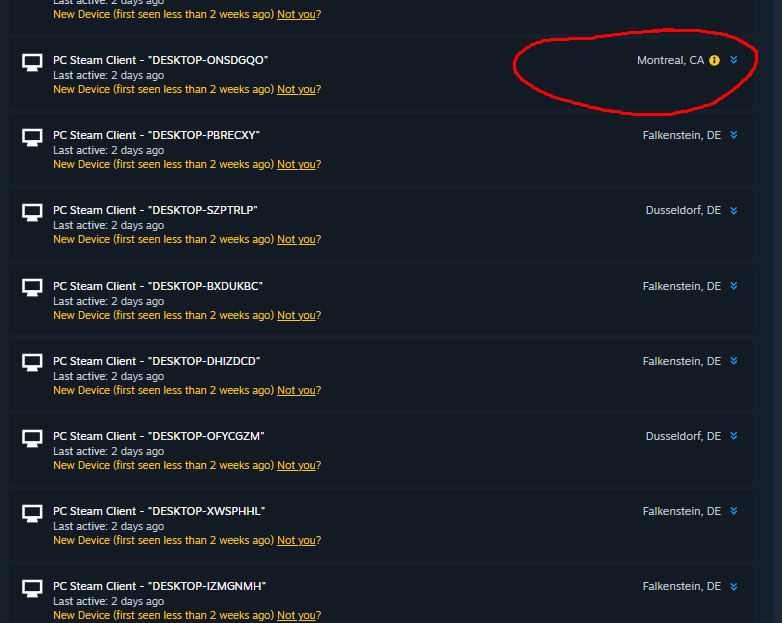
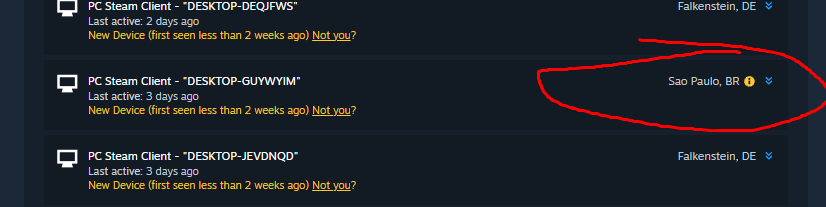
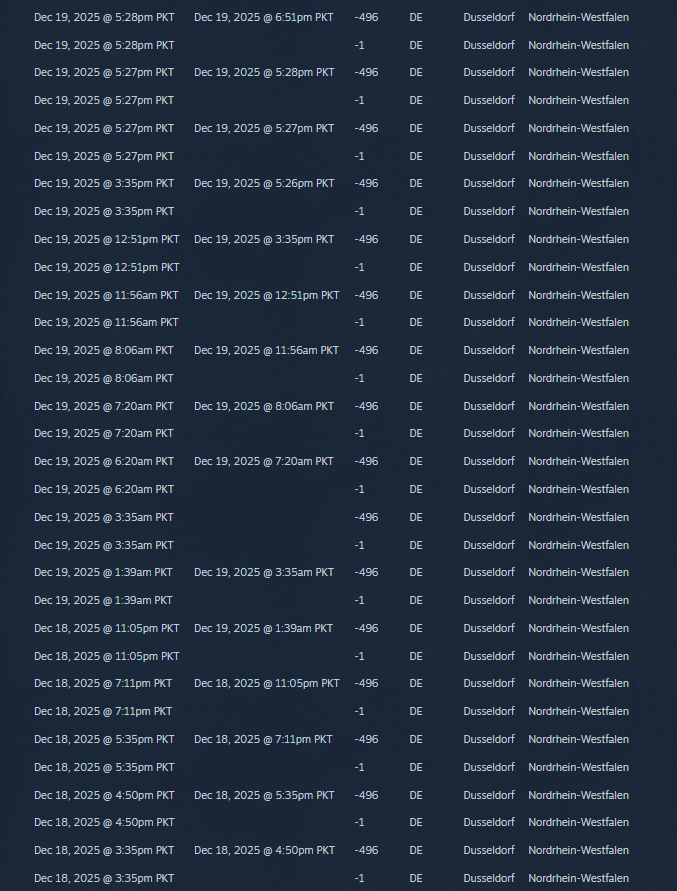
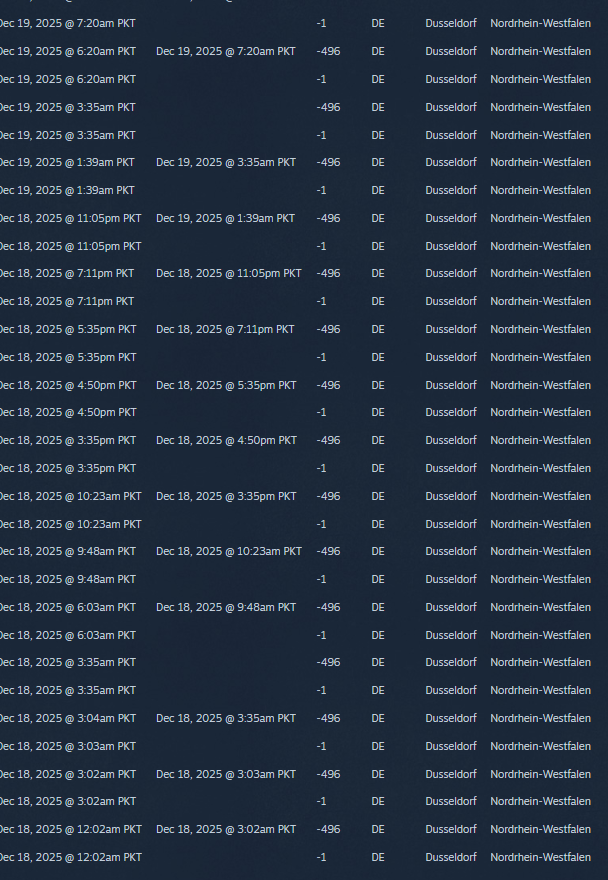
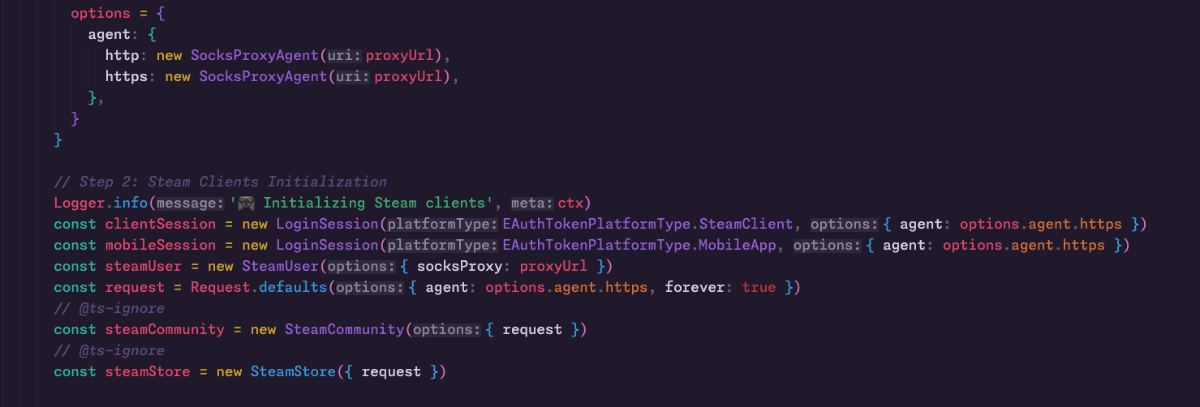
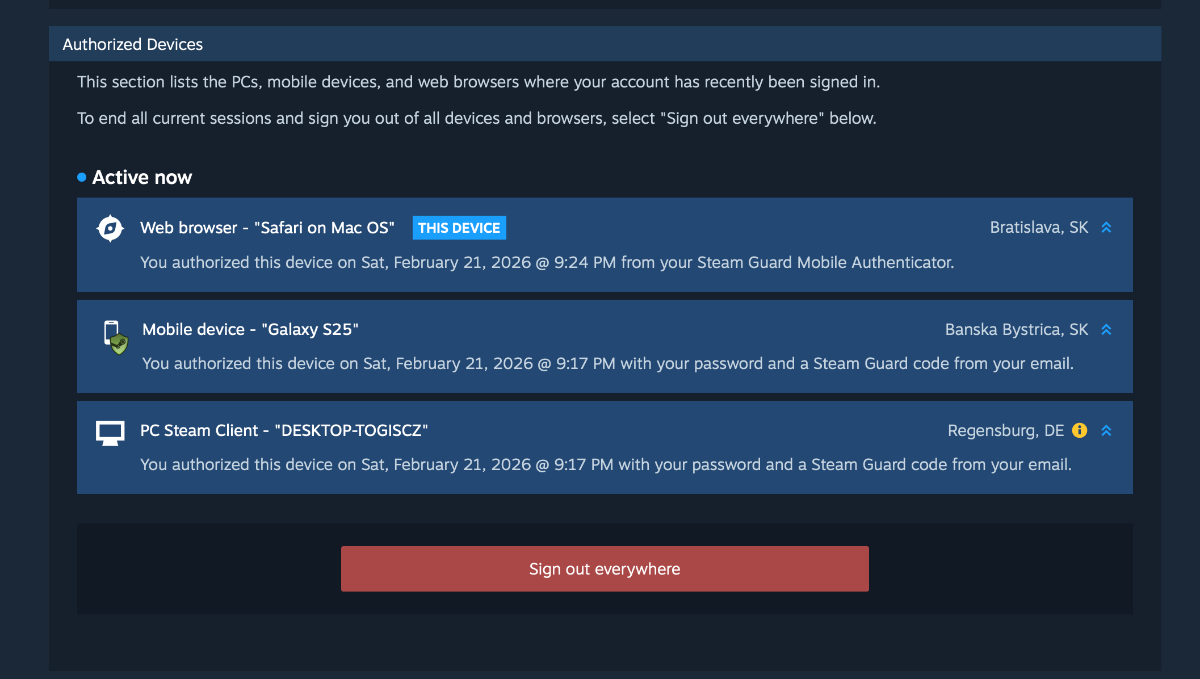
Hi, I have a socks5 proxy and use it for every package, but when I log in to the MobileApp, Steam shows my real location. SteamClient works good. here is proxy usage here is steam devices screenshot - The mobile device should have the same location as the Steam client.
-
- 1
-
-
 noobiecoder joined the community
 -
Which paid or free proxies should be used for trading, reselling websites then could you please help out?
-
 GoncaloCosta joined the community
 -
I'm trying to use the getUserInventoryContents but I'm always getting error 400 without explaining more. Can you help?
-
 YakkoTM joined the community
 -
If you want to scrape from the account, you can use depot dumper mod.
-
Heyo, I was just wondering if there's any plans for you to fix this @Dr. McKay?
-
 AHdrOHchik reacted to a post in a topic:
Error: Could not act on confirmation
AHdrOHchik reacted to a post in a topic:
Error: Could not act on confirmation
-

steamcommunity error: Could not act on confirmation
AHdrOHchik posted a topic in node-steamcommunity
Good day, everyone! I've been trying to solve a trade confirmation issue for three days now. All other requests are working perfectly, but trade confirmations specifically return the "Could not act on confirmation" error. The raw request returns a 200 status code with {"success": false}. Does anyone know what might be causing this or how to fix it? For context: my identity_secret is correct, and other requests handle successfully. I am attaching a script with logic similar to my project. I would be very grateful for any help! Version of node-steamcommunity: 3.49.0 test.js -
Hello! I just tried to delete my account. After receiving the account deletion e-mail and clicking on the link it doesn't work. Can someone please delete my account, thanks!
-
Thanks, that makes sense. I suspected that at some point you have to rely on the game client itself, and your explanation about the GC vs client-side rendering logic really clarified it for me. Appreciate the insight.
-
You have to use the game client code somehow, whether that's injection or hooking or whatever. The GC only sends the raw data (paint seed, paint index, wear, etc) but the code to turn that into a model or image is only inside the game client.
-
thats fine but you see the disparency in the auth devices y is that? what causes it? i am using the proxy always in the steam user and community thne how steam gets the location sometimes wrong
-
I’m trying to build a screenshot service similar to BUFF and CSMoney Ideally, the full pipeline would cover everything from an action/inspect link (e.g., steam://rungame/... +csgo_econ_action_preview ...) to generating clean, high-quality, UI-free weapon screenshots. However, I found a YouTube video showing a Python-based method to capture images: https://www.youtube.com/watch?v=HUIERG6r-t0 This looks more like a manual/automation screenshot workflow inside the game, and it may not match what I want in terms of scalability. I also noticed this site: https://cs2inspects.com/zh-CN/screenshots It seems able to generate screenshots using only paint seed, paint index, and float (wear), without requiring an inspect link. Or does achieving this level of control usually rely on in-game injection or memory hooking?
-
UntitledUser reacted to a post in a topic:
Nethook
-
Cursor is wrong. Passing the httpProxy option to LoginSession is unnecessary because the CMAuthTransport handles proxying already. All login communication happens through the same proxied TCP/WS connection as all other Steam client communication.
-
 Hello everyone How and by what method can I create an order to purchase an item and then find out the status of the order? And then where can I find out exactly how much money the item was bought for?
 -
i prompted cursor to find the reason can you take a look at this response and see if its useful ? Bug confirmed The issue is that steam-user does not pass the httpProxy option to LoginSession, even though steam-session supports it. The bug File: E:\Bots\node_modules\steam-user\components\03-messages.js (lines 738-750) Current code (broken):_getLoginSession() { if (!this._loginSession) { let options = { transport: new CMAuthTransport(this), machineId: this._logOnDetails?.machine_id }; let customMachineName = this._logOnDetails?.machine_name || ''; if (customMachineName.length > 0) { options.machineFriendlyName = customMachineName; } this._loginSession = new LoginSession(EAuthTokenPlatformType.SteamClient, options); // ❌ Missing: httpProxy is NOT passed! } return this._loginSession; What should happen steam-session's LoginSession accepts httpProxy in its options (see interfaces-external.ts line 46), and uses it to create a proxied HTTP client (see LoginSession.ts lines 116-117 and 122-125). The fix Pass the proxy from steam-user's options:_getLoginSession() { if (!this._loginSession) { let options = { transport: new CMAuthTransport(this), machineId: this._logOnDetails?.machine_id }; // ✅ ADD THIS: if (this.options.httpProxy) { options.httpProxy = this.options.httpProxy; } let customMachineName = this._logOnDetails?.machine_name || ''; if (customMachineName.length > 0) { options.machineFriendlyName = customMachineName; } this._loginSession = new LoginSession(EAuthTokenPlatformType.SteamClient, options); } return this._loginSession; }
-
I am seeing a weird pattern the logins are all in the right place but steam shows authorized devices sometimes way off target and issues the your steam account was accessed by some one else y is that hapening any clue we use trading sites also so they collect our steam token too. @Dr. McKay
-
It's possible that the request is no longer supported by Steam.
-
Other filter strings (\\ip\\208.103.169.222 or \\appid\\480) also do not return data.
-
740 is not the right AppID, use 730.
-
The getServerList method does not return data (version 5.2.3 or 5.3.0): client.logOn({anonymous: true}); client.on('loggedOn', async () => { client.getServerList("\\appid\\740", 50).then(function (servers) { console.log(servers); }); }); This code worked half a year ago.
-
 Any ETA on this update?
 -
 The /inventory endpoint is newer and provides more up-to-date data. But the trade offer UI does still use this endpoint, so you should be safe to use it even if it's marked as deprecated.





-min(1).thumb.jpeg.467791fa472581b68464b62bab782c03.jpeg)